
Machine Vision Intelligent System Suite
Visual Security Monitoring
RUIYI Visual Security Monitoring runs on the cameras and recorders you already have. It watches sites, work areas and access points for the situations you have told it to look for, and turns each one
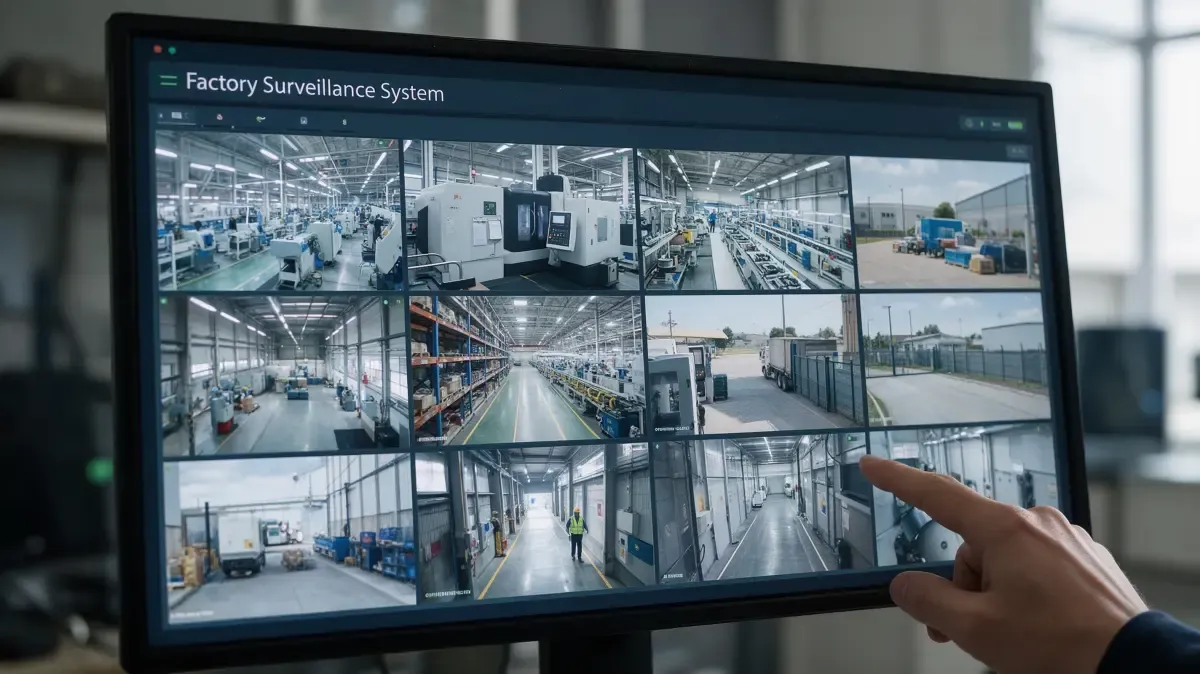
Most sites already have cameras. What they do not have is a way to deal with what those cameras record. Footage gets watched after something has already gone wrong, and searched hours later, by someone who was not there.
Visual Security Monitoring changes what a camera is for. It runs over the video you already have, reacts to the situations you have asked it to look for, and hands each one to a specific person as a single event — with a short clip, a location and a timestamp.
It does not decide consequences. It reports what appears to be happening; people confirm it, people act on it, and the record of what happened stays available.
Spotting something is not the finish line. Getting it closed is.
What it is
An application layer on what you already have. It runs over existing cameras, recorders and video systems rather than asking you to replace them.
A configured set of things to watch for. Rules are set per area, per shift and per risk — not one generic model applied across the whole site.
Events, not an alert stream. Repeated detections of the same situation are merged, so one incident produces one record rather than twenty.
What a responder needs, attached. Each event carries a short clip, a key frame, the camera and area, and a timestamp.
A route to a named person. Events go to the person or role responsible for that area, with an expectation to acknowledge and to close.
Vision underneath is handled elsewhere. Models and algorithms are provided and managed by the RUIYI Visual CAST platform; this application is about what gets done with them.
What gets in the way today
Coverage. Cameras record; they do not watch.
Most feeds, most of the time, have nobody looking at them. The gaps are predictable: nights, weekends, shift handovers.
Reviewing after an incident means working through hours of recordings. Often from cameras that were pointed somewhere else.
Extending coverage has meant more people or more cameras. And each new camera adds another feed nobody watches.
Alerting. Alerts arrive; decisions do not.
Motion and rule triggers fire on weather, shadows, animals and passing traffic. Enough false alarms and the whole system gets muted.
A message saying something happened at a camera still sends someone to look. The deciding has not been done.
An alert with no named recipient is one everybody assumes somebody else handled. That assumption is where incidents get lost.
Closure. Nothing forces an ending.
There is no clock. Things get noticed, mentioned, and absorbed into the day.
Corrective actions are agreed verbally. And remembered differently by the people who agreed them.
At review time there is nothing to review. No count, no trend, no record of what was found and what was done.
Fragmentation. The same incident lives in three places.
Cameras, access control, fire systems and safety reporting each keep their own records. An incident touching three of them exists in three places.
Video sits in one system and safety records in another. Joining them is manual work.
Adding or changing cameras tends to lock you in to whoever supplied them. Coverage decisions become procurement decisions.
What it watches for
What gets watched is configured, not fixed. Most sites start with three groups, then narrow each one to the areas where it matters.
Each item is set for the areas it applies to. A rule that matters at a loading dock may be irrelevant in an office corridor, and switching everything on everywhere is how alert volume gets out of hand.
What the software reports is an appearance, not a verdict. It says that protective equipment appears to be missing, that a person appears to have entered an area, that smoke appears to be present. A person confirms it and decides what follows. The system does not identify individuals and does not read number plates — it works with presence, position, movement and condition. What is done with what it reports stays with the people running the site.
What you get
Where it is used
The same application, configured differently. What changes between these settings is which areas exist, which rules apply, and who receives what.
Setting | What monitoring usually focuses on |
Factory sites and production areas | Machine guarding zones, restricted areas, protective equipment, spills and blocked routes |
Warehouses and logistics yards | Dock doors, vehicle movement, pedestrian and truck separation, after-hours perimeter |
Construction sites | Site access, work at height, protective equipment, unsecured materials and plant |
Campuses, gates and car parks | Perimeter, entry following, vehicles in reserved zones, unattended entrances |
Retail and food operations | Back-of-house, waste and delivery points, closing checks, out-of-hours entry |
Capabilities
Grouped by what they do. Anything concerning models, algorithms and interfaces is handled by the RUIYI Visual CAST platform underneath.
Capability | What it means |
Camera and stream onboarding | Bring existing IP cameras, recorders and video systems in over standard protocols; add or swap cameras without rebuilding the configuration. |
Deployment choice | Run analysis at the edge, on your own servers, or in a hosted environment — the choice is usually driven by where video may be processed and stored. |
Areas, zones and schedules | Define areas, assign the rules that apply to each, and arm or disarm by shift, day and calendar. |
Camera health | Notice when a stream is lost, obscured, or has been moved, instead of discovering it during an incident review. |
Site security | Presence and movement where and when they are not expected; objects that appear left behind or removed. |
Worker safety | Protective equipment that appears to be missing; entry into restricted areas; unsafe working position; a person who appears to have fallen or to be motionless. |
Site conditions | Smoke or flame, leaks and spills, walkways and exits that appear blocked, fire equipment that appears obstructed. |
Configurable rules | Add, adjust and retire rules per area without redeploying the system. |
One event per incident | Repeat and near-repeat detections of the same situation are merged into a single record. |
Severity and routing | Grade events and route them to the person or role responsible for that area, on the channels they use. |
Suppression and quiet periods | Mute what is expected — planned work, maintenance, deliveries — so the queue stays readable. |
Escalation | If an event is not acknowledged it moves to the next person or role rather than staying open. |
Links to existing systems | Hand events to maintenance, safety or ticketing systems, and trigger on-site signals where those are installed. |
Clip and key frame | Every event keeps the seconds around it plus a still frame, so the decision can be made without visiting the site. |
Timeline search | Find footage by time, camera, area and event type instead of working through recordings. |
Retention rules | Set how long clips and records are kept, by area and by event type, in line with policy and local requirements. |
Audit trail | Who saw it, who acknowledged it, what was done, and when it was closed. |
Multi-site and multi-area | Separate sites, areas and tenants, each with its own configuration and its own event history. |
Role-based access | Decide who can view live video, who can retrieve footage, and who can change rules; views and changes are logged. |
Privacy controls | Mask or exclude areas that should not be analysed, and keep the scope of recording and analysis to what the site has approved. |
Trends and review packs | See where events concentrate and whether they recur, and produce what an operations or safety review needs without assembling it by hand. |
How it works
Connect. Cameras, recorders and existing video systems are brought in, and areas are drawn and named.
Configure. For each area, choose which rules apply and when; set quiet periods and arm by shift.
Watch. Streams are analysed against those rules. What gets logged is an appearance, not a verdict.
Qualify. Repeated detections of the same situation are merged into one event, graded, and routed to a named owner.
Act. The owner confirms, dismisses or acts. Where relevant the event is handed to a maintenance or safety workflow, and on-site signals are triggered.
Record and review. The clip, the decision, the action and the closure are kept together — and that history is what the next review and the next tuning start from.
Deployment, integration and data boundaries
Where it runs. Analysis can run at the edge, on your own servers, or in a hosted environment. The choice is usually driven by where video is allowed to be processed and stored.
What it hands off to. Events can go to maintenance, safety, access control or ticketing systems instead of living only in this application. Models and algorithms underneath are managed by the RUIYI Visual CAST platform.
What it starts from. Cameras, recorders and video management systems already installed are the starting point. Adding cameras does not require replacing what is there.
Who sees what. Who may view live video, who may retrieve footage, and how long clips are kept are configured per site, per area and per role, with access logged.
What is local. Recording scope, retention periods, signage, consultation duties and any notification requirements depend on the jurisdiction and the site. Configuration is set to fit them; the system does not make those decisions for you.